Start with your document
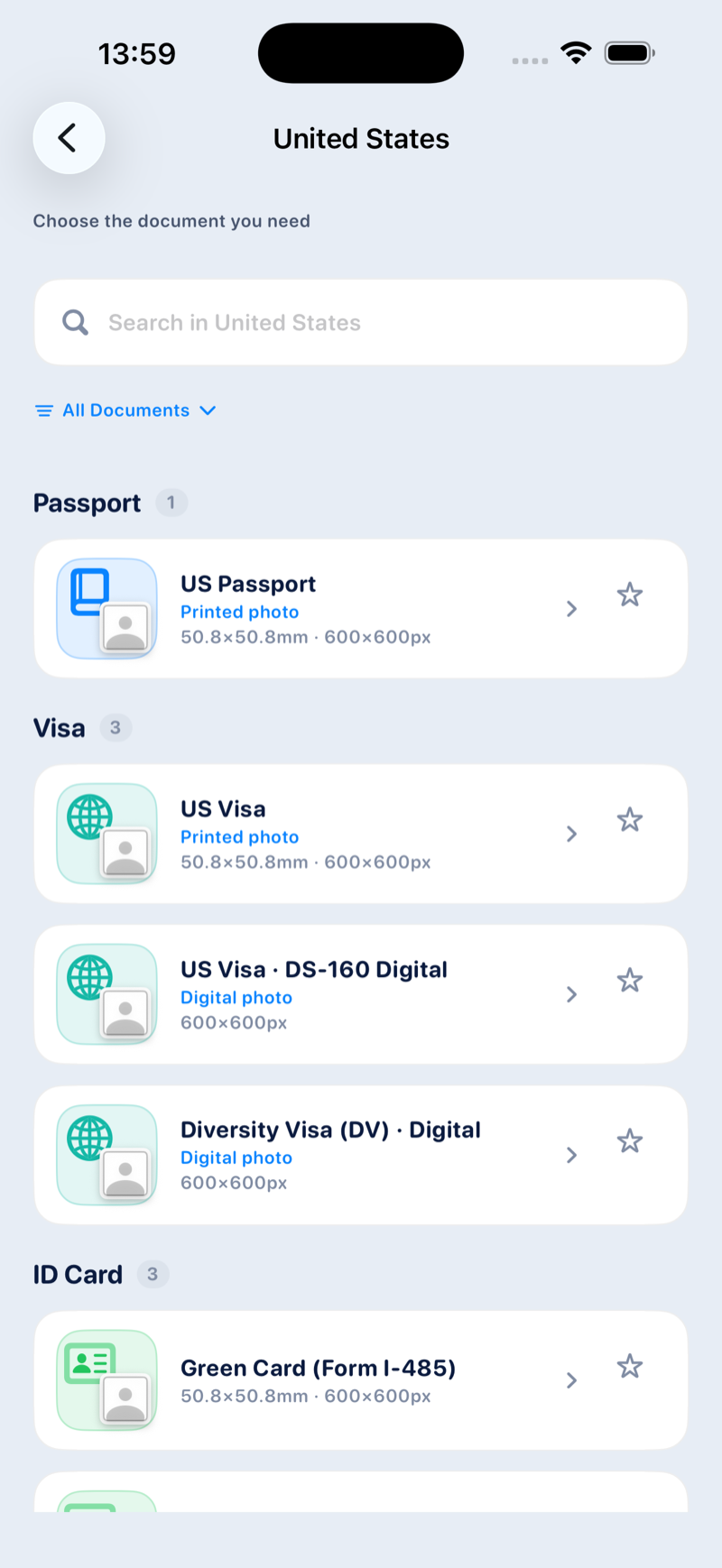
Look up dimensions, background guidance, and face proportions before taking or choosing a photo.
Choose your document, check the photo requirements, and prepare a photo to save or print. All from one app.
Check the requirements first. Then frame, adjust, and save your photo with the details in view.
Look up dimensions, background guidance, and face proportions before taking or choosing a photo.
Crop and align your portrait with guides in the app. Photo editing runs locally on your device.
Save a digital image or arrange copies on a printable sheet, depending on your document’s requirements.
Return to saved work to make an adjustment or export another copy without starting over.
Choose the format, work on your photo, and review the result before saving.
Select your destination country and document category. The app displays required physical dimensions, resolution, and background color recommendations before you shoot.
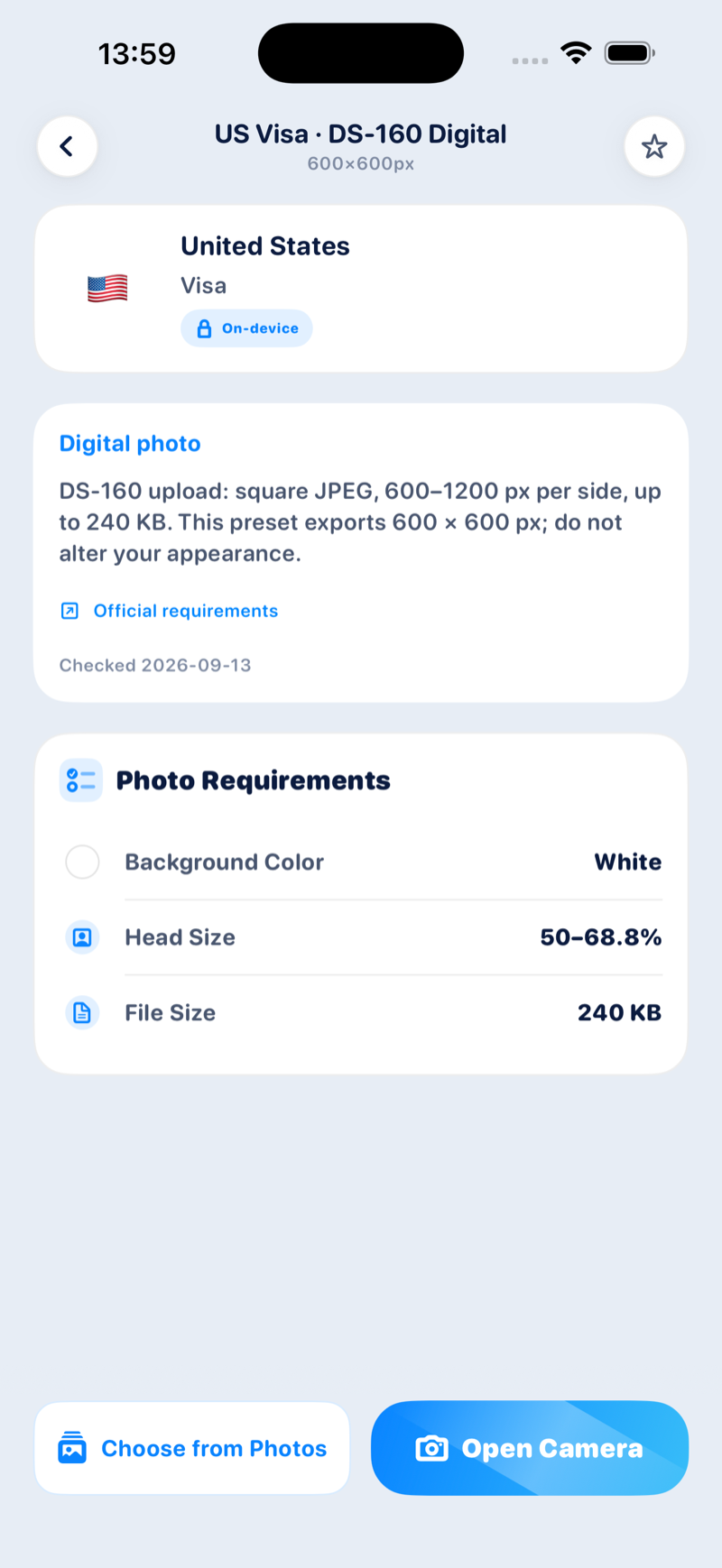
Actual app preview · Document requirements
Take a photo with helpful framing guides or choose an existing portrait from your library. Check head alignment and background separation with on device tools.
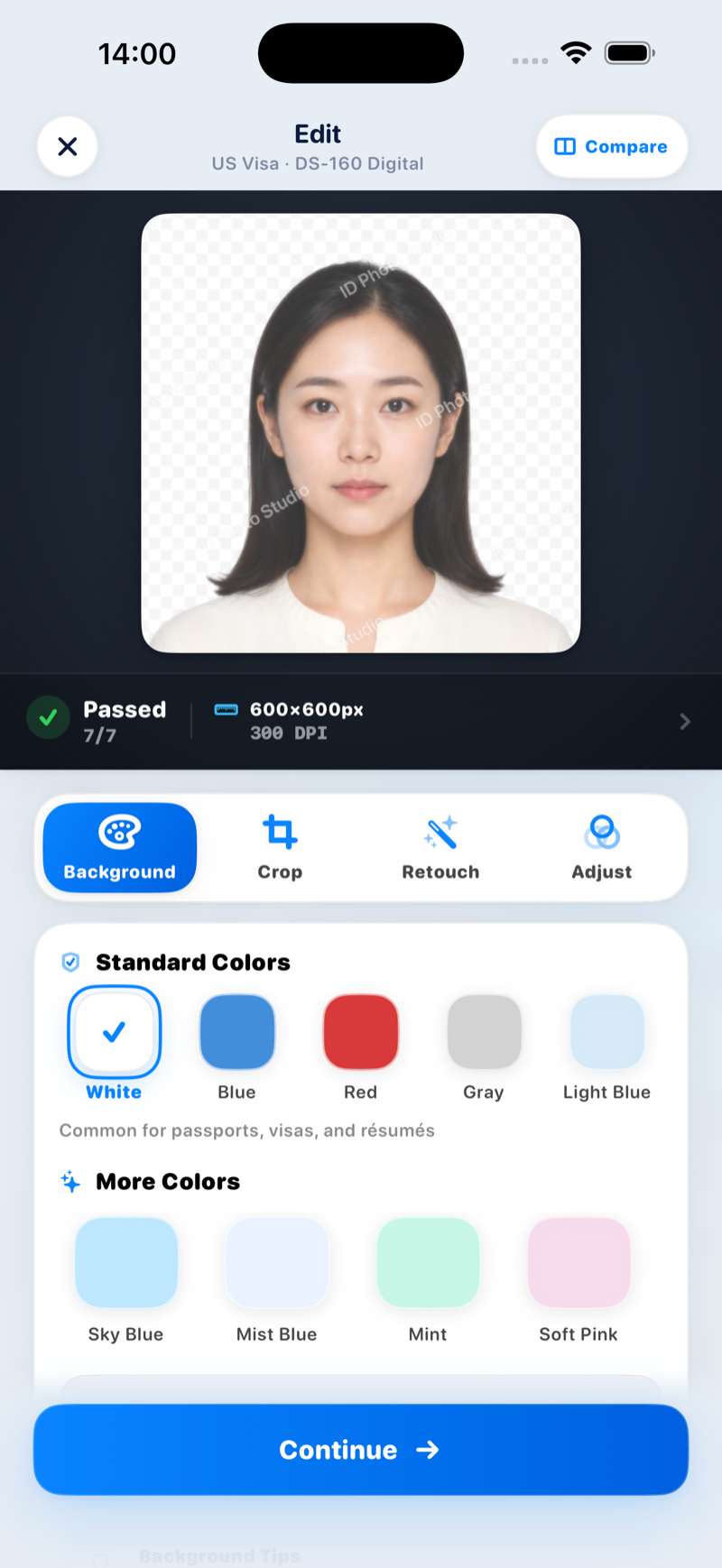
App preview with sample portrait · On device processing
Check the result and choose an export format. Free exports include a watermark; paid access removes it. Some document formats require Pro.
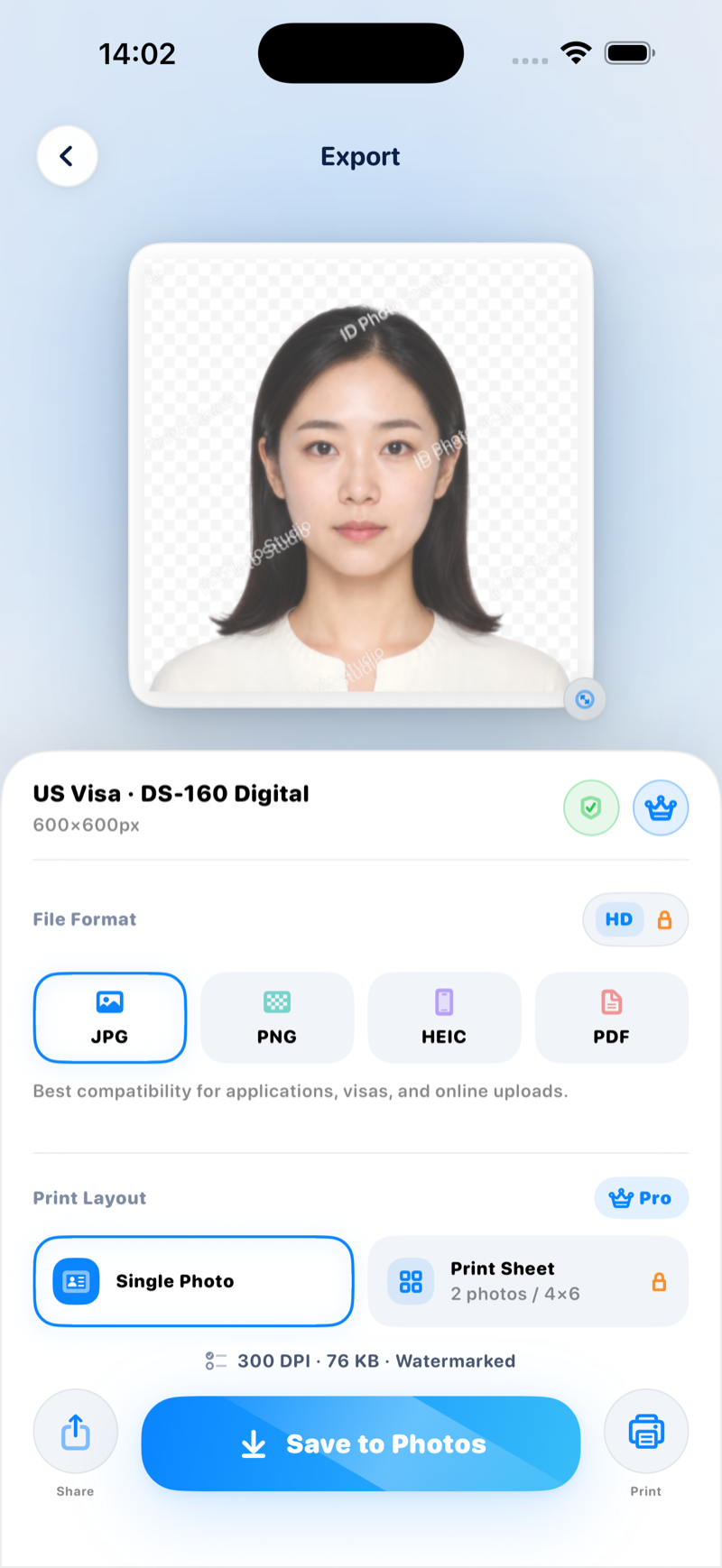
Actual app preview · Sample portrait with free watermark
Know the requirements.
Make room for your next chapter.
Here’s what happens to your photos, and what happens when you purchase.
The app processes photos on your iPhone or iPad. It does not upload them to a photo editing service. You choose where to save or share your exports.
Apple processes in-app purchases. The available options, price, and billing terms are shown before you buy.
Superwall helps display purchase options and processes device, app usage, and purchase-related events. Photo processing and purchase data are handled separately.
Your saved work is stored in the app. Clear All Data in Settings removes saved photos and custom formats. Copies exported elsewhere are managed separately.
Straightforward details about supported documents, data protection, and exports.
ID Photo Maker is coming soon to the App Store. There is no announced release date yet. This page previews the app.
The app includes specifications for common passports, visas, driving licences, and identity documents across major countries and regions. Because governmental guidelines update over time, you can always check the requirements before taking your shot.
No. The issuing authority makes the final decision. Use the app’s dimensions and framing guides as a reference, and check the authority’s current requirements before submitting.
The app edits photos locally and does not upload them to a photo processing service. If you save or share an export, the destination you choose may handle it separately. Paywall and purchase-related data are described in our Privacy Policy.
Free exports include a watermark. Paid access removes the watermark, and some document formats require Pro. Review the available options in the app before purchasing.
Pricing packages and payment terms will be clearly shown inside the app before purchase. Apple processes all billing and subscription management via StoreKit.
Yes. ID Photo Maker is designed for iPhone and iPad running iOS 18 or later.
You can export a printable sheet, including a 4×6 layout. Check the paper size and scaling with your printer or print service, and confirm the finished photo dimensions.
Start with the requirements. Finish with a photo you’ve reviewed, ready to save or print.